
Allocating ad hoc credits to a member
Credits are typically allocated to members from a membership program. However, from time to time, there are circumstances where you might want to assign credits to a member on an ad hoc basis. It’s possible that they purchased a credit pack through you (as opposed to via the FitnessHub Member portal), or that you just need to allocate them additional credits.
This article covers adding a credit pack to a given member. If you need to allocate credit packs in bulk to multiple members, please refer to the Bulk Actions article.
To allocate credits or a credit pack to a member ad hoc, follow these steps:
- Navigate to the membership tab of the member record.
- Scroll down to the Credits section.
- Click the Add Credits button. This will open the pop-up Add Credits window.
The credit addition process is straightforward and takes place through a simple 5-step wizard.
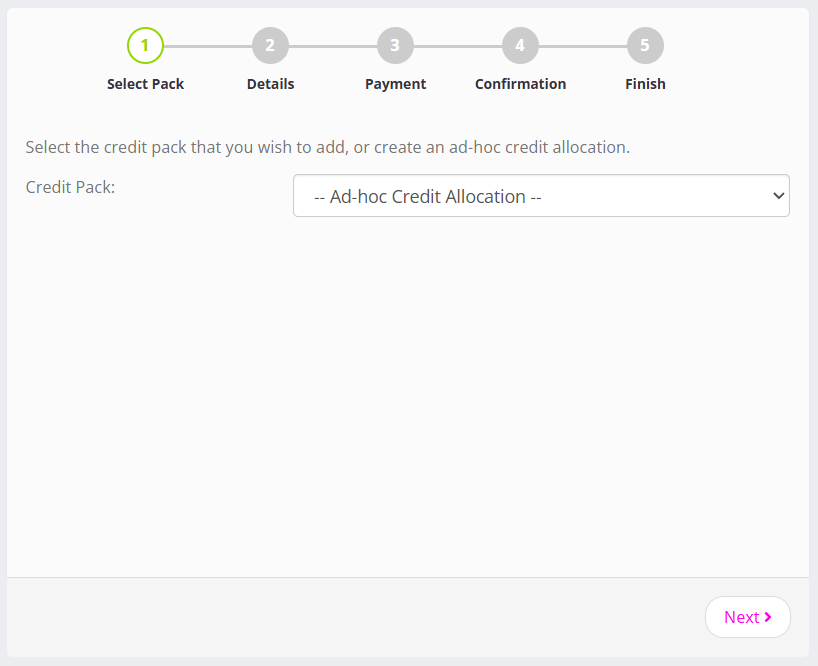
- From the drop-down list, select the credit pack that you wish to add. Alternatively, if you wish to define your own custom credit (and not use a credit pack), select — Ad-hoc Credit Allocation —
- Click the Next button.
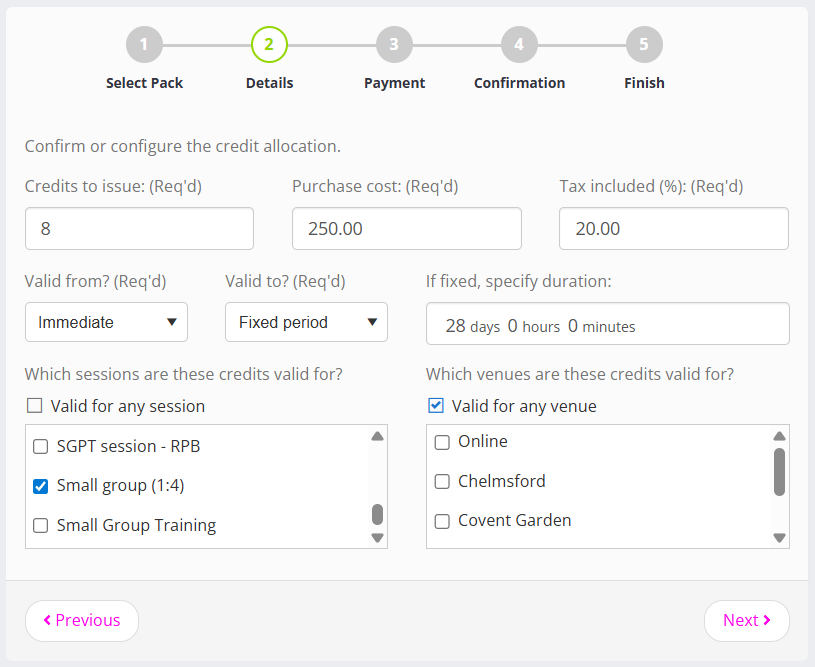
- The Details page of the wizard displays a credit configuration based on the credit pack you selected. Review and amend the credit pack configuration as you want.
- Click the Next button.
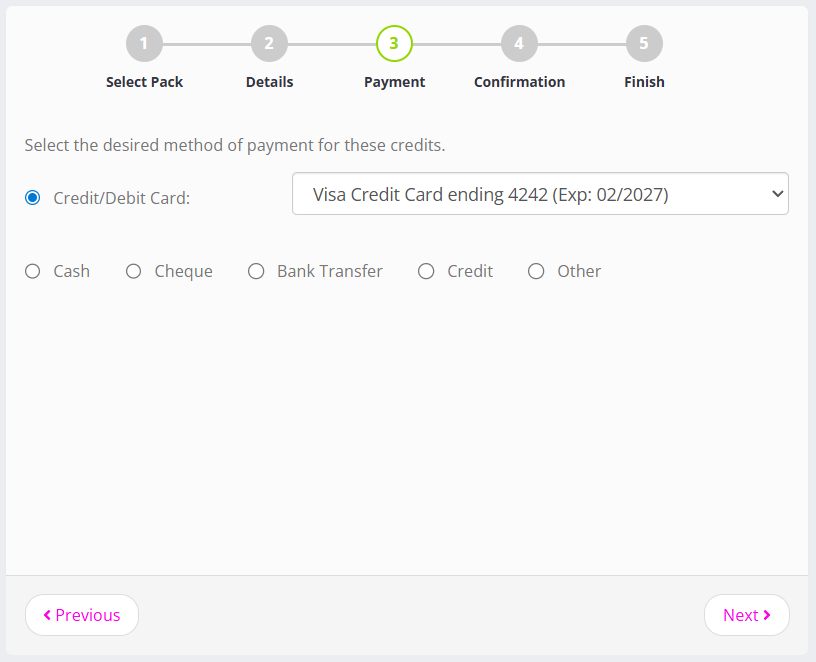
- On the Payment page, select the payment method through which you would like to take payment for the credit. If you entered a cost of £0.00 you can select any payment method, as there is no payment to be taken.
- Click the Next button.
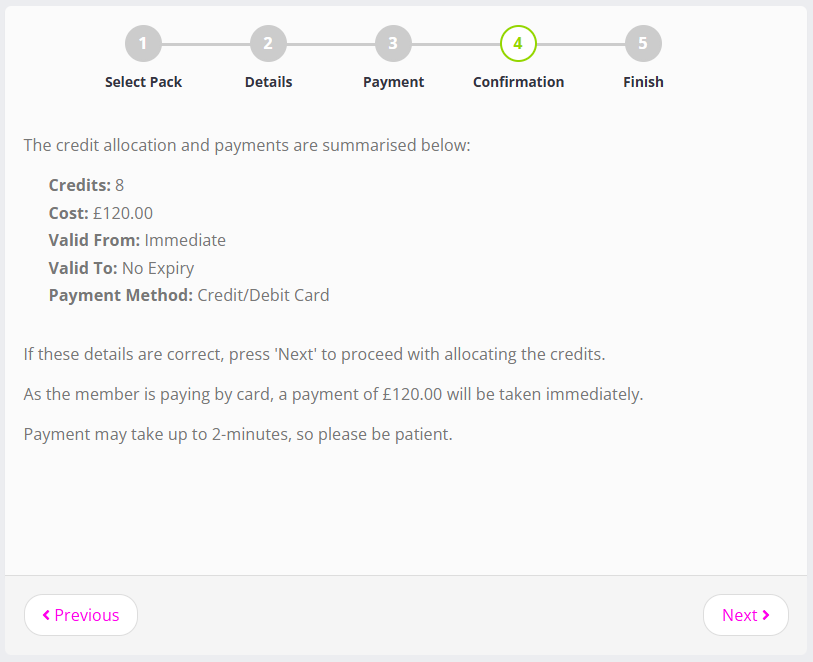
- Review the summary of the credits that will be created and the payment that is due (if any) on the Confirmation page.
- If you are happy with the configuration, click the Next button.
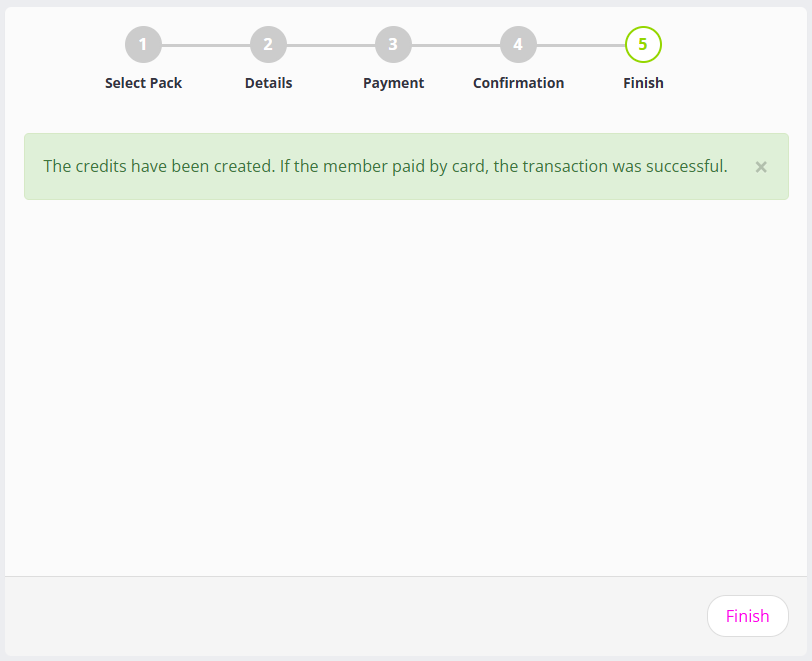
- GymOS will create the credit pack. A final confirmation screen will be shown.
Click the Next button to close the window.
The membership tab will refresh, and the new credit pack will be visible in the Credits section, under the Ad hoc/Manually Added Credits subheading.
If you cannot see the credits, press the Refresh button at the top of the member page (not your browser’s refresh button).