
Charging a member ad hoc
From time to time, you may need to apply an ad hoc charge to a member. This is something that is readily achieved via the Store.
- Select Store from the main navigational menu.
- Click the Add a custom charge option in the basket area of the page.
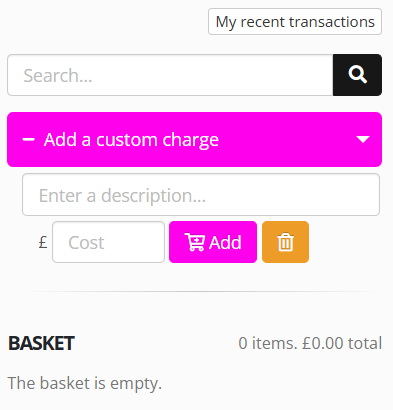
- Enter a description for the charge (E.g., “Payment for accidental damages”)
- Enter the amount to be charged.
- Click Add to add the item to the basket.
- Complete the checkout process in the usual manner.