
Membership discounts
You may set up discount codes for self-serve membership sign-ups via membership promotion campaigns.
Discount codes may be restricted by date as well as the membership(s) to which they apply. A discount code may also optionally be configured to return a membership to the regular pricing (as defined by the pricing plan) a given number of days after the membership starts. It is possible to control on a per-campaign basis the membership campaigns that permit a discount code to be used.
Accessing membership discount codes
The discount code functionality is accessed by selecting the Discount codes option from the Actions button found on the Membership Plans listing, in Settings.
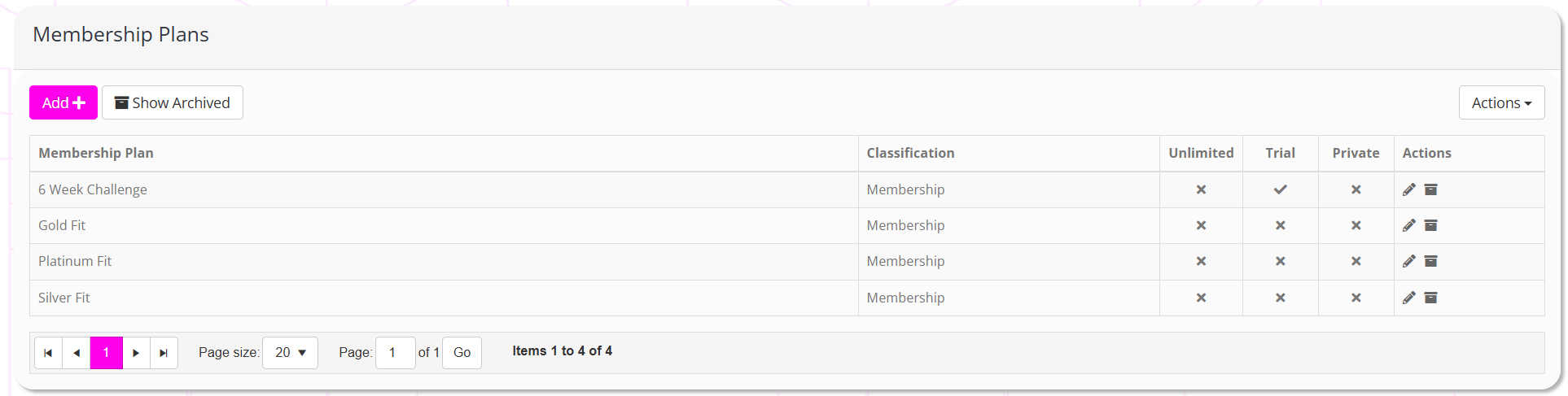
Clicking the link will open the discount code listing screen, as shown below:
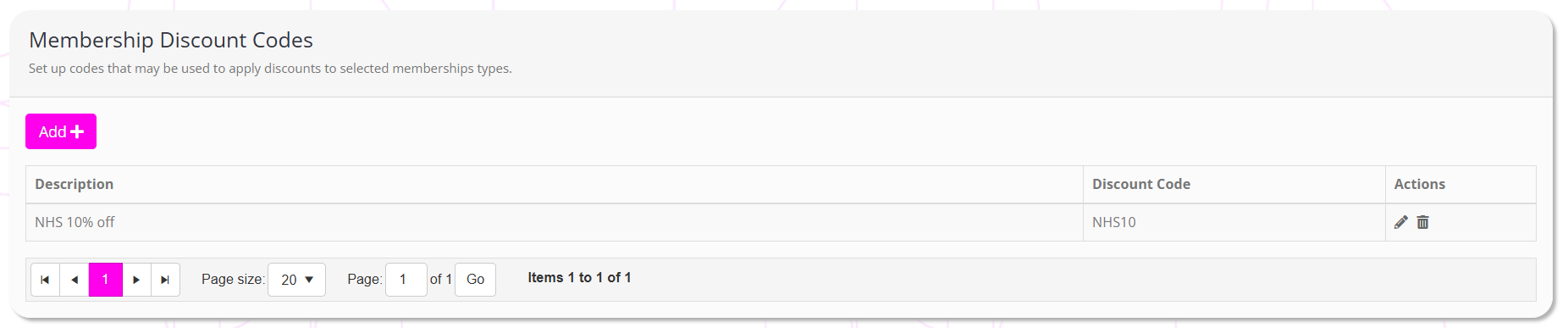
By default, the listing will show all discount codes that are presently configured.
Clicking the button will edit a given discount code, and clicking will delete it. Editing or deleting a discount code does not affect any memberships to which it has already been applied.
Adding a new discount code
To add a new discount code, click the Add button. This will open the add/edit discount code screen, as shown below.
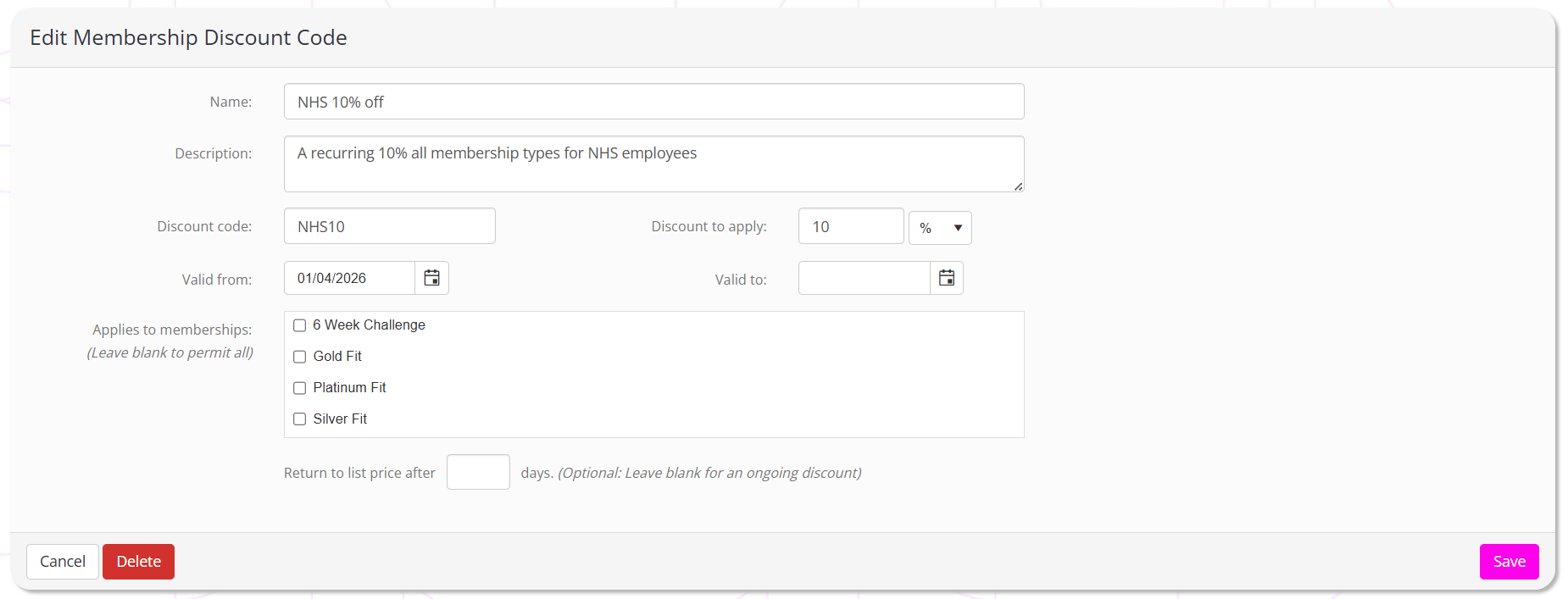
The information provided to configure each discount code comprises:
- Name – an identifying name for the discount code.
- Description – an optional description of what the code is for and for whom it is intended.
- Discount code – the discount code that should be used. Minimum 3 characters, maximum 20 characters.
- Discount to apply – Either the monetary amount to discount the recurring element of the membership, or the percentage amount to discount. Select the corresponding entry from the dropdown box to indicate if your entry is a monetary or percentage amount.
- Valid from – An optional date before which the discount may not be used.
- Valid to – An optional date after which the discount code may not be used.
- Applies to memberships – Tick to indicate the membership types against which the discount code may be applied. Leave all entries unticked to have the discount code valid for all membership types.
- Return to list price after x days – Optional. Adding a value here automatically schedules a membership price change such that, x days after the start date, the membership reverts to the price of the assigned membership plan as it is configured at that time.
Clicking Save will save the discount code. Clicking Cancel aborts any changes, and clicking Delete will delete the discount code.
Note: Editing or deleting a discount code does not affect any memberships to which it has already been applied.
Configuring a membership campaign to accept a discount code
To configure your membership campaign to permit entry of a discount code, edit the campaign settings by pressing the Edit button on the Summary tab of the campaign.
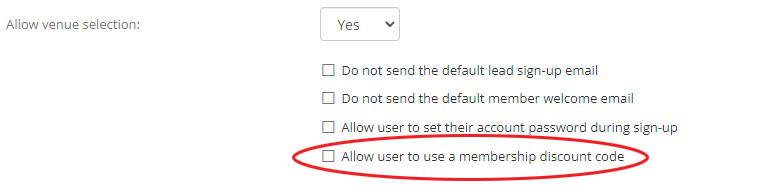
Ticking the Allow user to use a membership discount code enables the discount code functionality for the campaign.
When a discount has been applied to a membership, the discount code is shown alongside the other membership information.
If the discount code has been set up to revert the membership pricing, a corresponding entry will have been created and that may be reviewed in “Scheduled cost adjustments”.
Common questions and considerations
The following information may be useful when considering using and understanding the mechanics of membership discount codes.
- The discount is applied only to the recurring element of the membership. I.e. any joining fee is unaltered.
- The discount, whether it be monetary or percentage, is applied to the full recurring membership fee prior to pro-rata calculations etc.
- If the discount is greater than the recurring charge, the charge will be zero.
- If the discount results in zero charge the card capture element will be skipped unless the discount code applies a future “return to list pricing”.
- When configuring the “return to list pricing” days, pay careful attention to what would be a sensible value.
Examples:- If you charge every 4 weeks and want to give the first 4 weeks free, giving a 100% discount with a “return to list” days of ≥29 days would make sense. 28 days is the recurring period, so ≥29 days is after the end of the first period.
- If you charge monthly and want to give the first 2 months free, giving a 100% discount with a “return to list” days of ≥63 days would make sense. A month can be up to 31 days in length, so ≥63 days is after the end of two long months. If the months are shorter it doesn’t matter, as the value will still be prior to the 3rd month being charged.
- It is strongly recommended that you avoid creating a price reversion on the date upon which a membership payment is due to take place, as this could result in timing issues and an unintended outcome.
- Membership discount codes may only be used as part of a membership campaign for which it has been enabled. They cannot be used anywhere else within Quoox or for any other purpose at present.
- Once applied, the discount code pricing may be overridden on a given membership, but the originating membership code will remain recorded.
- The “return to list price” period is calculated from the start date of the membership, which may therefore be later than the purchase date. This is because the start date is the date upon which first recurring payment is taken.
- As is typically the case, there are no restrictions on who may use a discount code, and therefore their distribution should be controlled.
- You can suffix the
?dc=xxxxxparameter to your campaign URL to prepopulate a discount code, wherexxxxxis the discount code E.g.?dc=NHS20 - As per standard best practice, you should test your discount code before making it available. This ensures that the code is working in the way you intended.