Determining why a member cannot book a session
Whilst many venues run a fairly open credit/session system, others operate a more complex setup with credits limited to certain venues and sessions, and additional session booking criteria.
Members will often say, “I can’t book the XYZ session. Why is that?” It is almost invariably due to the member not having eligible credits for the session they are trying to book. However, if you have a complex multi-credit, multi-membership setup, it can be tedious to go wade through their credits – only to find they’ve used their quota for the month already.
GymOS’s session eligibility analyser makes it quick and easy to determine whether a member can book a given session and, if not, why not.
Launching the session analyser
The session analyser may be launched from one of two places. The first is from the session booking screen. The second is from the member’s membership tab.
Analysing from a booking
If you are in a booking, you can select the “Check member eligibility” option from the More actions drop-down menu.
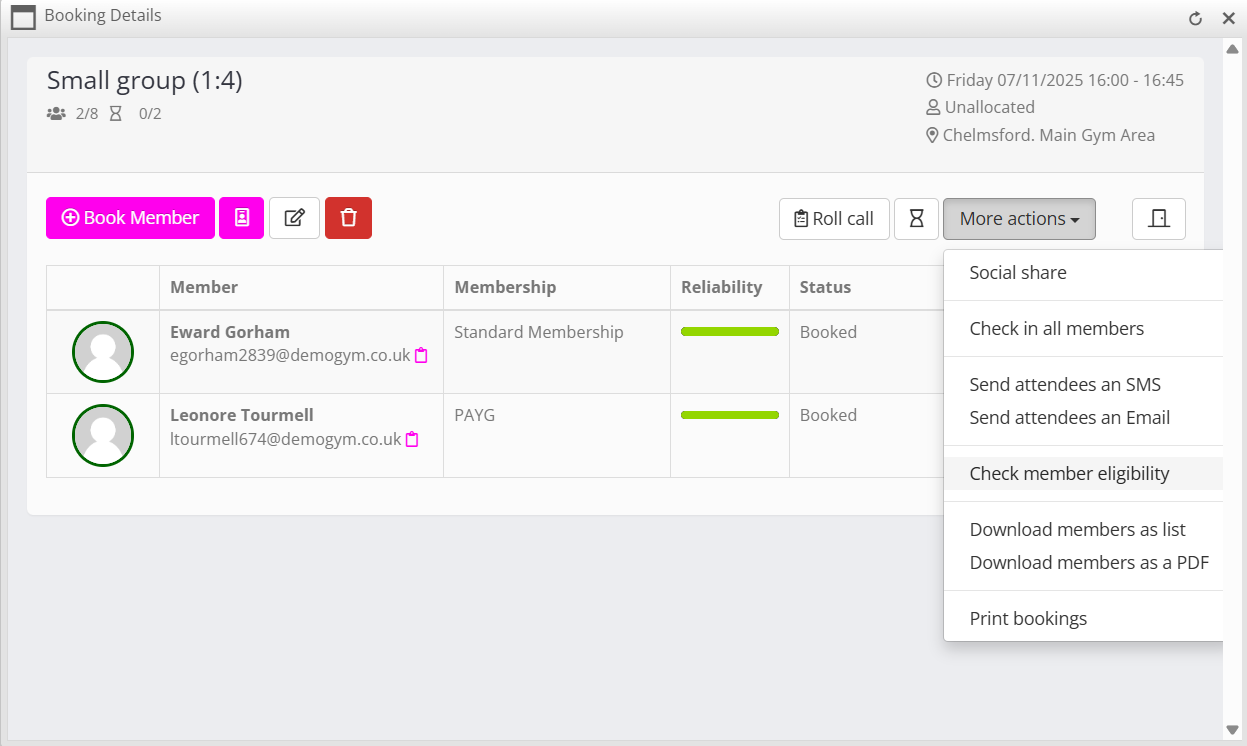
This will open the session analysis window with the session you were in already pre-populated. You then simply enter the name of the member for which you wish to analyse the session eligibility.
Analysing from a member
You may launch the session analyser from the member’s membership tab, by clicking the Check Eligibility button in the credits session of the page.

This will open the session analysis window with the member you were already in, pre-populated. You then select the date of the session and the session of interest.
Performing the session analysis
Once you have selected the session date, chosen the session to analyse, and entered the member’s name, click the Start Analysis button to have GymOS verify the member’s eligibility for the session.
Important: The eligibility check is performed with everything set as it is at that moment in time. For example, if the member tried to book 3 days prior (before a credit was valid), you might get a different result. Similarly, if the member tries to book in 6 hours (and the session booking window has closed), they will receive a different result. The analysis confirms whether, at that moment in time and with the credits they have, the member is eligible to book the session.
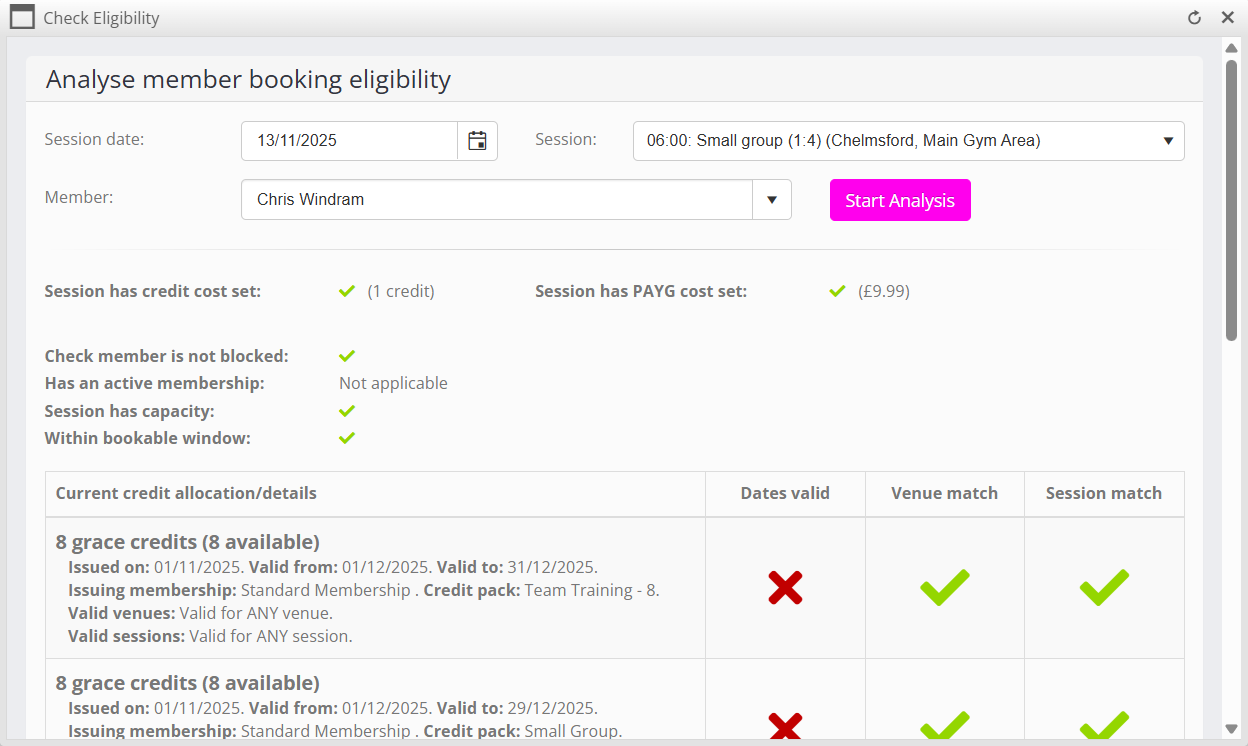
Understanding the results
The session analyser will perform an analysis of all aspects of the member, their credits and the session which may effect whether they are able to book.
The results for each check are displayed. A indicates that the check has passed, whereas a indicates a failed check. Where a mismatch/failure is detected, further details are given where applicable.
Within the credit analysis section, the eligibility of each set of credits assigned to the member is analysed. A valid date check, venue match check, and session match check is performed for each. A credit is only eligible if all three checks pass.
Underneath the credit analysis a total number of eligible credits is displayed. This is compared to the number of credits required to the session, and a check/cross mark indicates whether the member has sufficient valid credits.
The final determination
At the bottom of the screen, the “final determination” is displayed. This comprises two indicators:
- Whether the member can book using credits
- Whether the member can book using pay-as-you-go
As outlined above, both results are as of the moment that the checks are performed. As time passes and the member uses their credits, the outcome may differ.
Still unsure?
Having used the eligibility checker, if you’re still unsure as to why your member cannot book a given session, raise a support ticket. Ensure that you provide the member’s name, as well as the date/time and type of session they are trying to book. Without this information, the support team will be unable to assist you.