Editing an allocated credit pack
Once a credit pack has been allocated to a member, it may be subsequently edited. For example, you might want to extend the validity period or revoke the remaining credits.
To edit a credit pack assigned to a member:
- Go to the Credits section of the Membership tab on the member record.

- Click the icon alongside the specific credit that you wish to edit. The Edit Credits pop-Xup window will open.
If the icon is greyed-out, that credit pack is no longer editable.
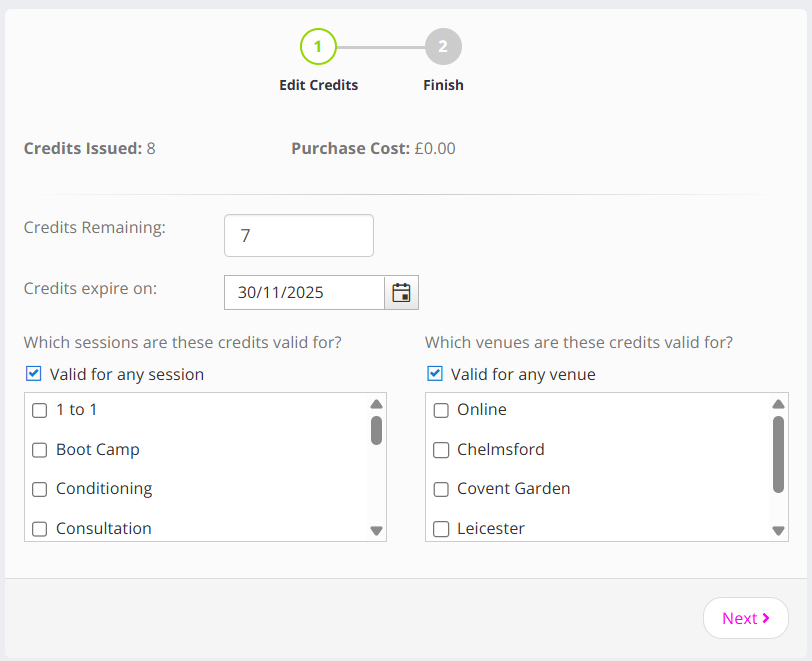
- Make amendments as you want to the number of credits remaining, the expiry date, and the session and/or venue validity.
- If you are happy with the configuration, click the Next button.
- The credit pack will be updated and a confirmation message will be displayed. The revised credit will be shown.
If you do not see the updated credit, click the Refresh button at the top of the member screen (not the browser refresh button).
When a credit pack has been edited, it will be marked with the date upon which it was edited and by whom.