
FitnessHub: FitFlix
The FitFlix section allows members to view and watch videos that have been assigned to them by the gym, including on-demand workout content.
Accessing FitFlix
FitFlix can be accessed in two ways:
- By selecting the FitFlix tile within My FITFile.
- By hovering over My FITFile in the main navigation menu and selecting FitFlix from the dropdown list.
Using the FitFlix Library
When viewing the FitFlix video library, the member will see all folders and videos assigned to them.
At the top of the library, a pink Filter button is available. When selected it provides:
- A search box where the member can type the name of a folder or video.
- An Apply filter button to display matching results.
- A Reset filter button to clear any search criteria.

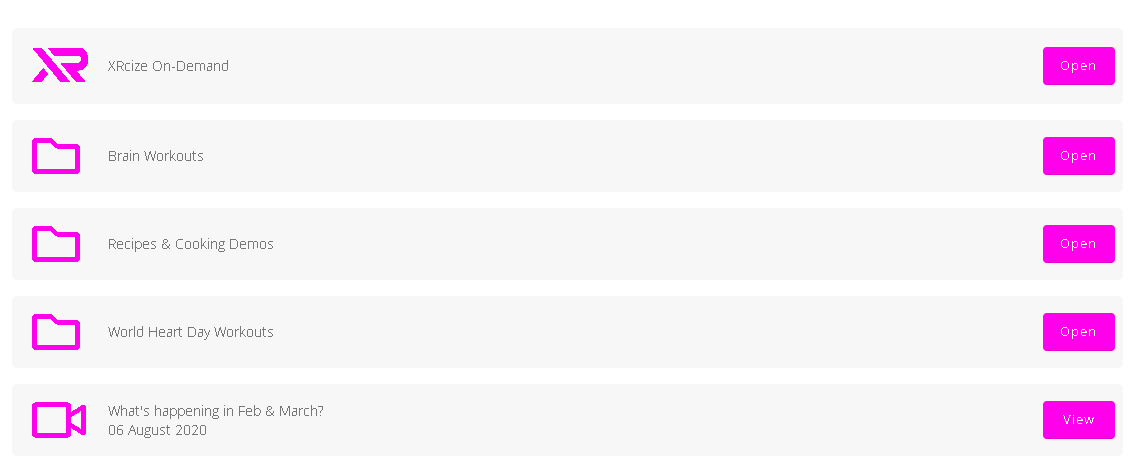
XRcize On-Demand
At the top of the assigned content, the members will see XRcize On-Demand
This section contains video-based workouts that have been assigned for the member to complete at home. Any additional folders or videos assigned to the member will be displayed beneath this section.
Opening Folders and Videos
Within the library:
- Folders will display an Open button, which can be selected to view the contents of that folder.
- Individual videos will display a View button, which can be selected to play the video.
Using the Video Player
When viewing a video, the member will have access to the following controls:
- Play andpause button
- Time bar, which allows the member to skip forward or backwards
- Volume control button
- Full Screen button
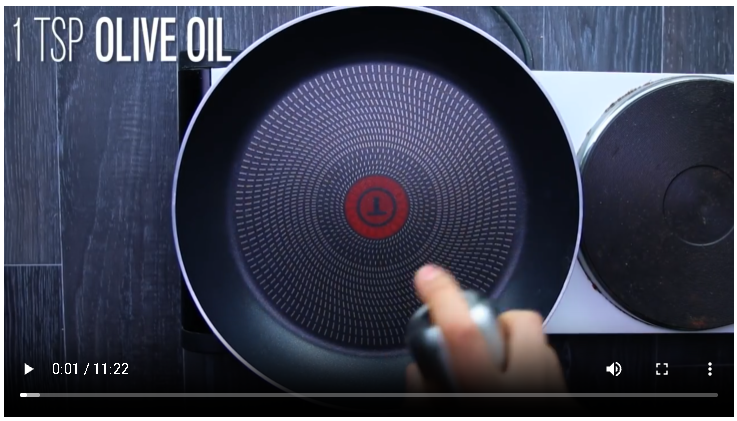
The member will also see a three vertical dots icon. Selecting this provides additional options:
- Download
- Playback Speed
- Picture-In-Picture
These features allow the member to customise their viewing experience as required.