Introducing Konduo
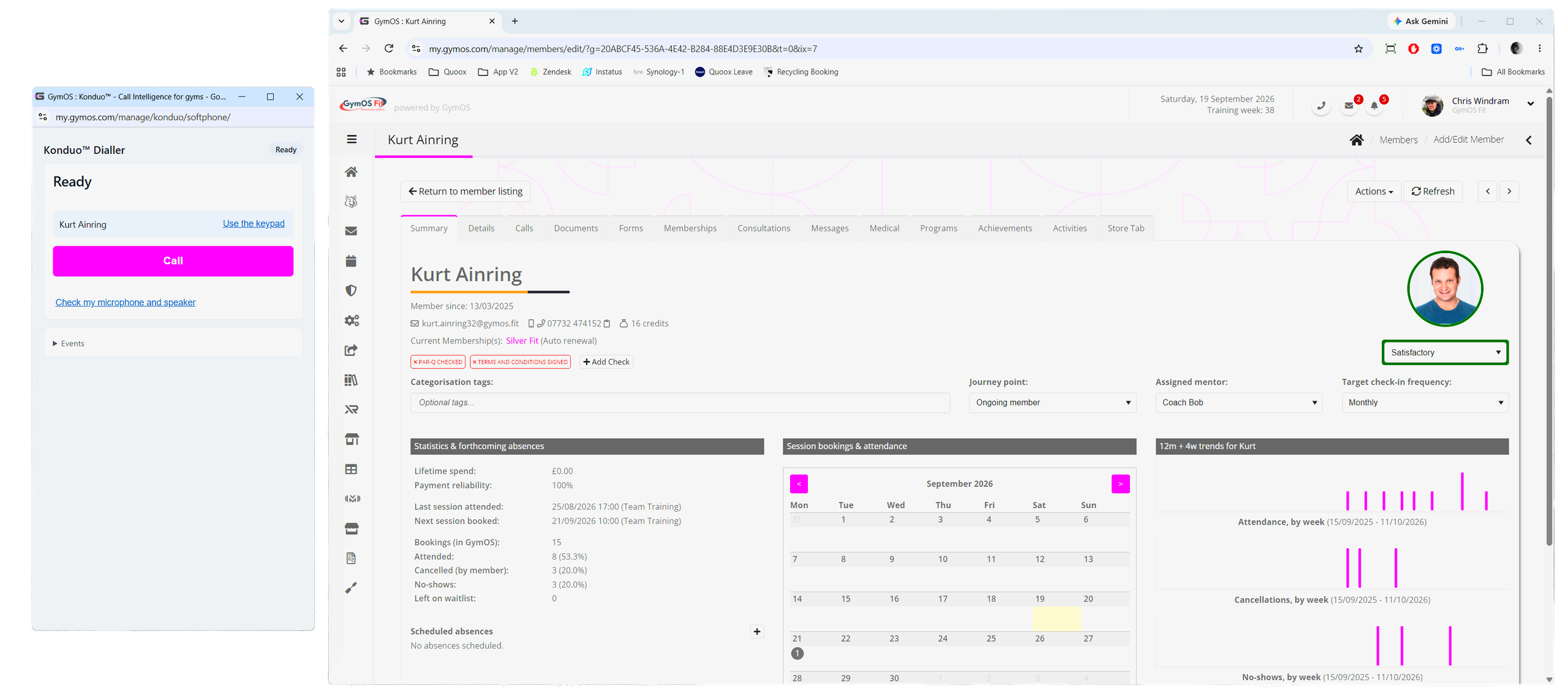
Konduo™ is Call Intelligence for gyms. It lets your team call members and leads straight from GymOS, in the administration portal and in the FitnessHub app, using your gym’s own phone number. Every call is logged against the person you called, and a short wrap-up afterwards keeps their record up to date. If you choose, calls can also be recorded, transcribed, and summarised for you automatically.
Why Konduo?
Most gyms make their calls from the front desk phone or from somebody’s personal mobile. Either way, the call happens outside GymOS: nobody else can see that it took place, what was said, or what was agreed, and the member’s record never shows it.
Konduo brings those calls into GymOS:
- Every call is recorded against the member or lead. Their call log shows who called them, when, and for how long, and the call counts as contact on their record.
- Your gym’s number, not a personal mobile. Calls show your gym’s number, so members recognise it and can call you back, and staff never need to share their own numbers.
- Call tasks complete themselves. Calling from a call task, or from a DropSlot telephone appointment, completes the task or marks the appointment attended when you wrap the call up.
- Nothing to install. Konduo works in the web browser you already use for GymOS, and in the FitnessHub app your staff already have.
- Straightforward, pay-as-you-go pricing. You pay only for answered calls, per minute, alongside your other GymOS usage. See Konduo pricing.
Call Intelligence
Konduo can do more than place the call. For each gym, you choose one of three recording settings:
- Do not record calls – calls are placed and logged, but not recorded.
- Record calls – each call is recorded, and the recording is kept on the member’s or lead’s record so that you can listen back to it.
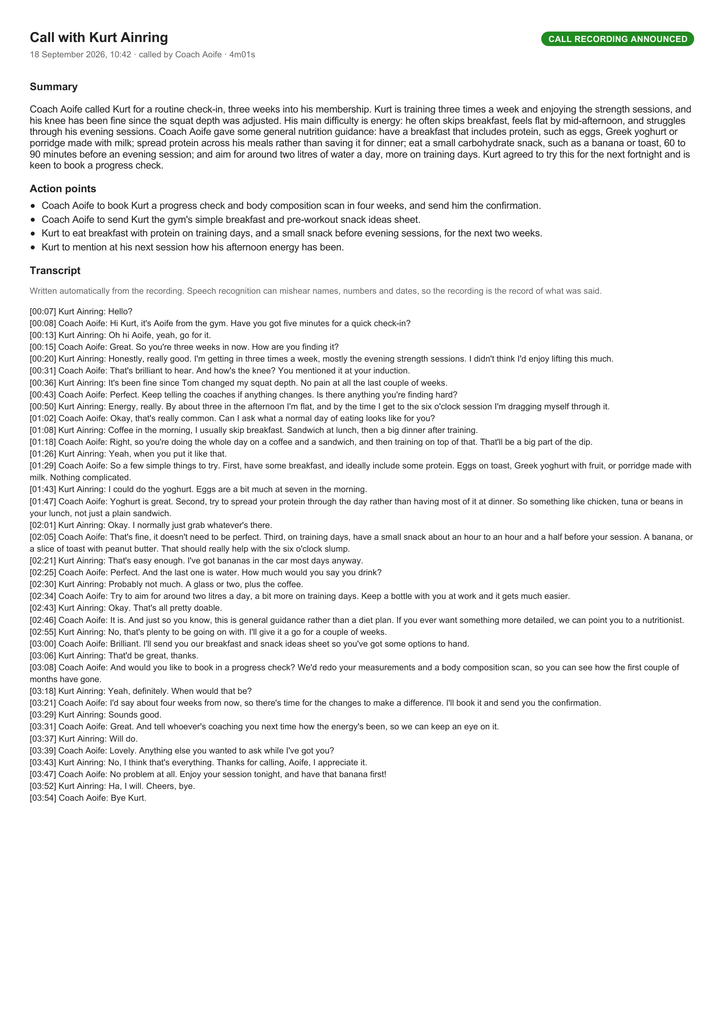
- Record calls and write a transcript and summary – as well as the recording, the call is written out as a transcript, and a short summary with its action points is added to the person’s record. The summary is also written as the call’s outcome, so your team does not have to type one.
Whenever a call is recorded, the person you are calling hears a short announcement, in your gym’s name, telling them the call may be recorded. Your team can also switch recording off for any individual call.
Where you can use Konduo
- In the administration portal — click almost any phone number in GymOS, or open the dialler from the phone icon at the top of the screen. See Using Konduo in the administration portal.
- In the FitnessHub app — from the phone icon at the top of the screen, from My Account, or from your DropSlot appointments. See Using Konduo in the FitnessHub mobile app.
Who can use it
Konduo is for your team: owners, managers and staff. It is never offered to your members. Once a manager switches Konduo on, it is available to all of your staff.
Where Konduo is available
Konduo is available to gyms in the United Kingdom and Ireland. Calls can be made to landlines and mobiles in your own country.
- United Kingdom — your gym’s existing GymOS number is used, so there is nothing to register. Setting up takes a few minutes.
- Ireland — calls need a local Irish number registered in your business’s name. We register it for you when you set Konduo up, at no charge for the number itself. Your texts continue to come from your current number.
What you need
- Konduo switched on for your gym by a manager. See Configuring and enabling Konduo.
- On a computer: a supported web browser (preferably Chrome or Edge) and, ideally, a headset.
- On a phone: the latest version of the FitnessHub app, signed in as a member of staff.
Getting started
- Read Configuring and enabling Konduo and switch Konduo on.
- Record your gym’s announcement, and choose your recording setting.
- Make your first call from a member’s record.