
Lead tab: Calls & Consultations
The Calls & Consultations tab is the Call Log and Consultation details for the selected lead. On this page, you can schedule future calls with a lead or record the details and outcome of completed calls. You can also see, schedule and send an invite for a Dropslot event.
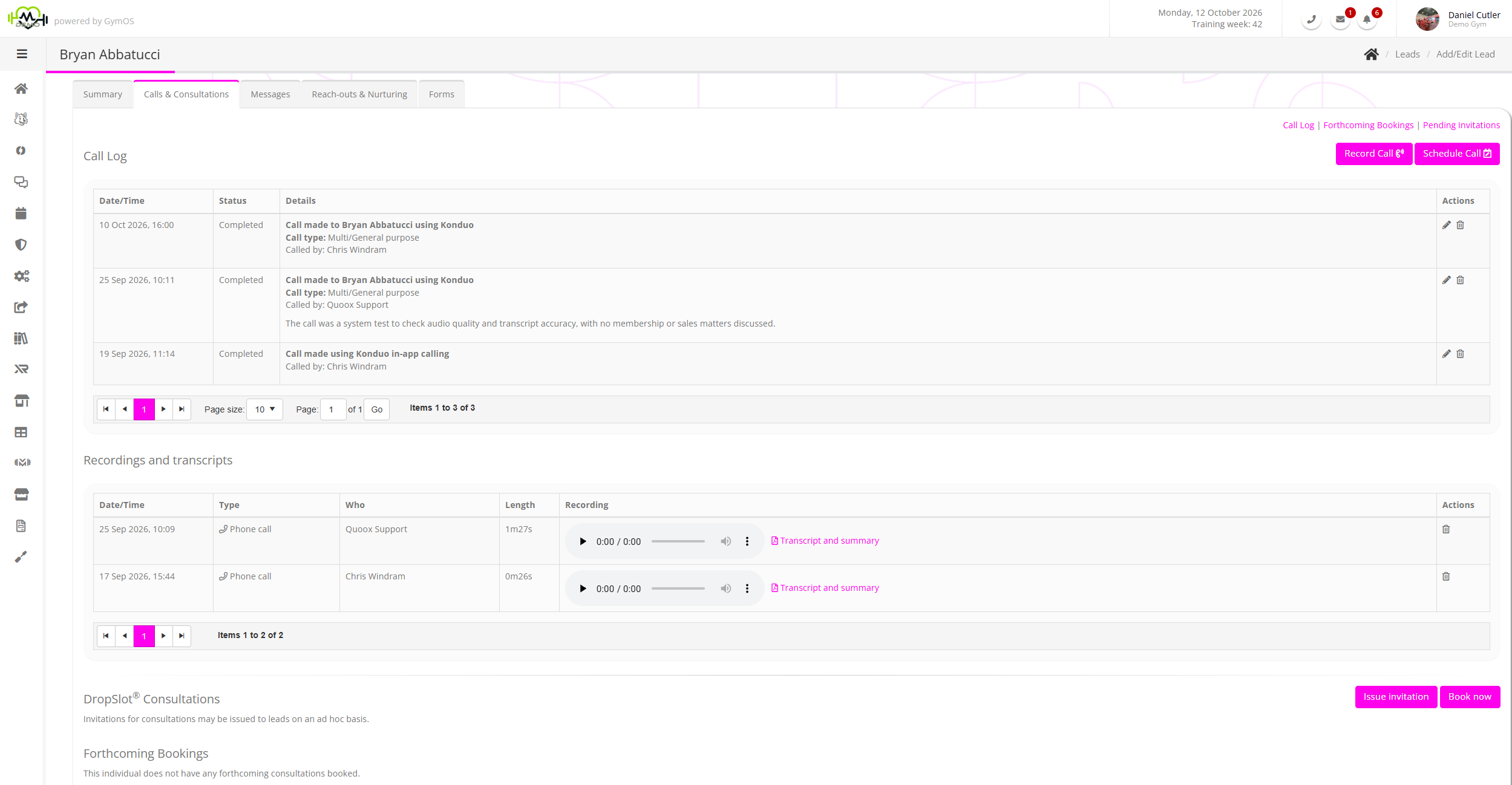
The call log page lists both future calls that have been scheduled and past calls that have been completed. This listing is paginated and displayed in reverse chronological order, with the most recent event listing first.
Calls are a special type of task/assignment, and assignees are alerted of scheduled calls in the same manner as other assigned tasks.
Recording or scheduling a call
You may record a call by clicking the Record Call button. Future calls are scheduled by clicking the Schedule Call button, or through an automated process, such as a nurture program or a trigger.
Further details of this process are detailed here.
Forthcoming Bookings

GymOS lists the future DropSlot bookings for the lead.
An event may be viewed or edited by clicking the icon. It may be cancelled by clicking the icon.
It is possible to create a new consultation booking on behalf of the lead by clicking the Book now button.
Pending Invitations

GymOS lists the presently valid DropSlot invitations assigned to the lead, showing their creation source, date of issue, and validity period.
A booking may be made using an allocated invitation by clicking on the icon.
An invitation may be immediately revoked by clicking on the icon.
A new, ad hoc invitation can be issued to the lead by clicking the Issue invitation button.