Member groups
Member groups are a valuable feature within GymOS. They allow you to group members together. These groups may then be used in numerous functions within GymOS.
Member groups are administered by either selecting Member Groups from the Settings section of the main navigational menu, or by selecting Member Groups within the Lists and Groups area.
Member Group Listing
The Member Group Listing provides the list of all current member groups.
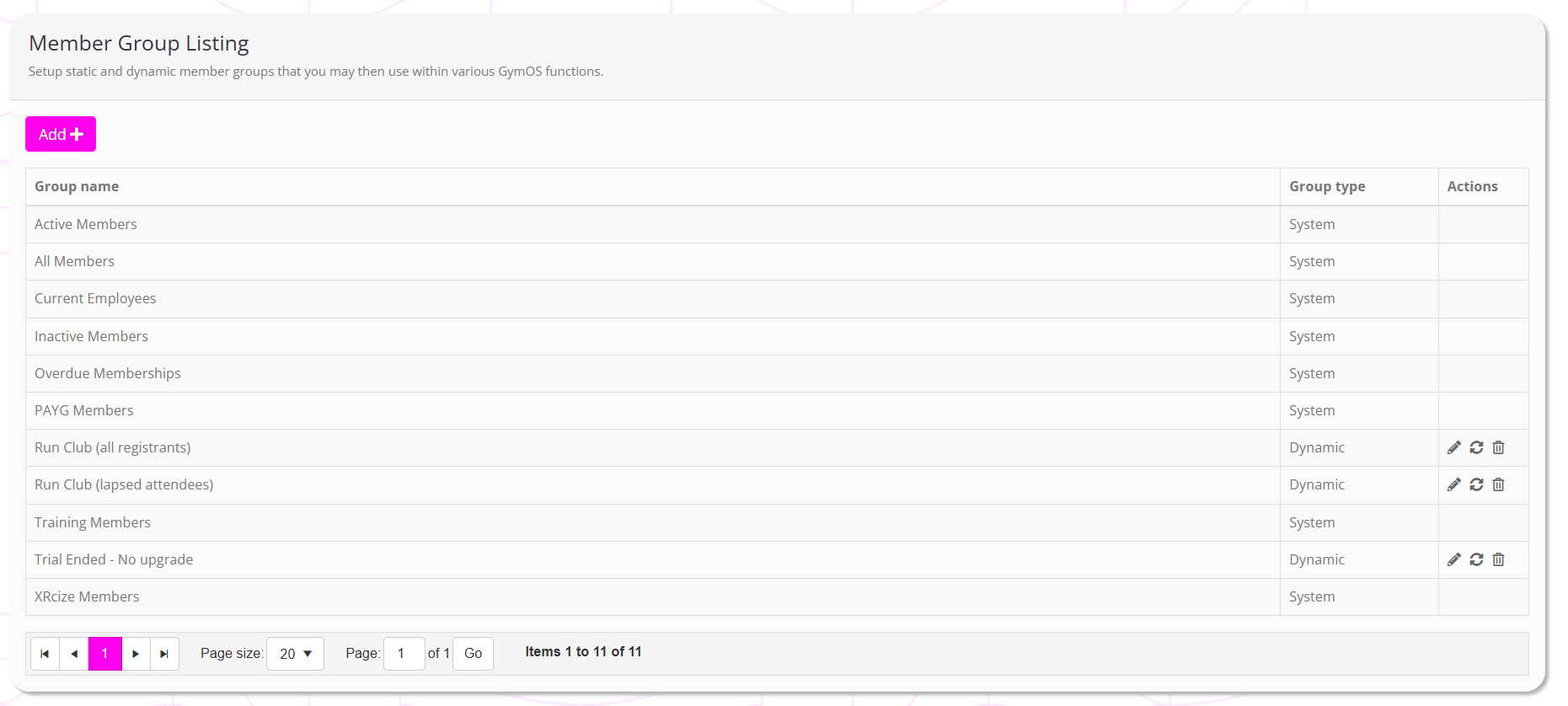
There are three types of member group:
- System
These groups are generated and maintained by GymOS. They may not be edited or deleted, and the members within them are determined by the system. - Static (manually populated)
Members are added to the group manually from the details tab of the member record. - Dynamic (automatically populated)
You specify criteria for the group, and GymOS automatically maintains the group to include only members that meet those criteria.
You may add a new member group by clicking the Add button. Existing groups may be edited by clicking the icon. Non-system groups may be deleted by clicking the icon.
Configuring a member group
The process for creating or editing a member group is functionally identical.
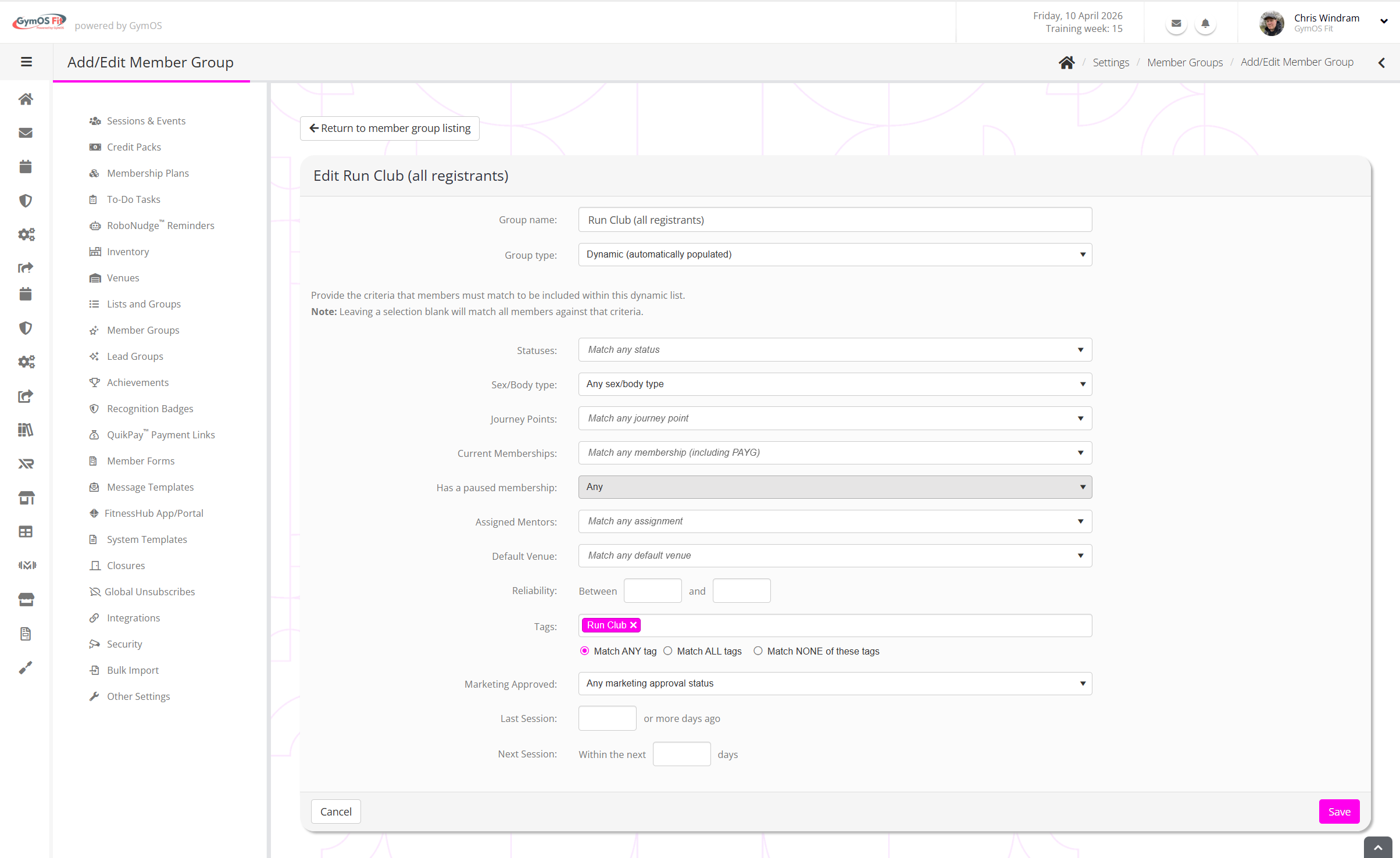
You provide a Group name and specify the Group type (static or dynamic). If you select dynamic, additional options become available.
Configure the criteria as you wish. Note: Criteria are ANDed, to wit, any member added to the list must meet all specified criteria.