Widget: Log an ad hoc Enquiry
Very often, you may receive a walk-in enquiry or an enquiry by phone. The Log an Ad Hoc Enquiry widget provides quick and easy access to log the details of the enquiry and/or create a corresponding lead record.
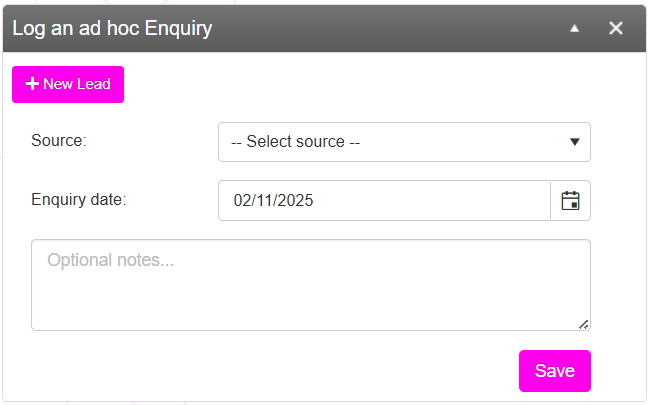
Basic logging
To simply log basic details about the enquiry (and to record the enquiry in the KPIs & Metric statistics), select the source from the drop-down list and enter notes accordingly. Then hit the Save button.
You can optionally enter a different Enquiry date if you are recording an enquiry that happened on a previous day. The options within the Source box can be managed within the Lists and Groups functionality.
Create a lead record
It is always recommended that you create a lead record when recording an enquiry, as that then enables you to capture greater information in a structured form, to add workflows, and to arrange follow-ups.
To create a lead record, click the New Lead button. This opens the Lead Creation page, where you may enter the details of the lead.