Business Analysis: Tracker settings
Before you can access the Business Analysis functions, you must first set your tracker settings.
Once set, you can then update them at any point, but unless you force historic recalculations, those changes will only impact from that point onwards.
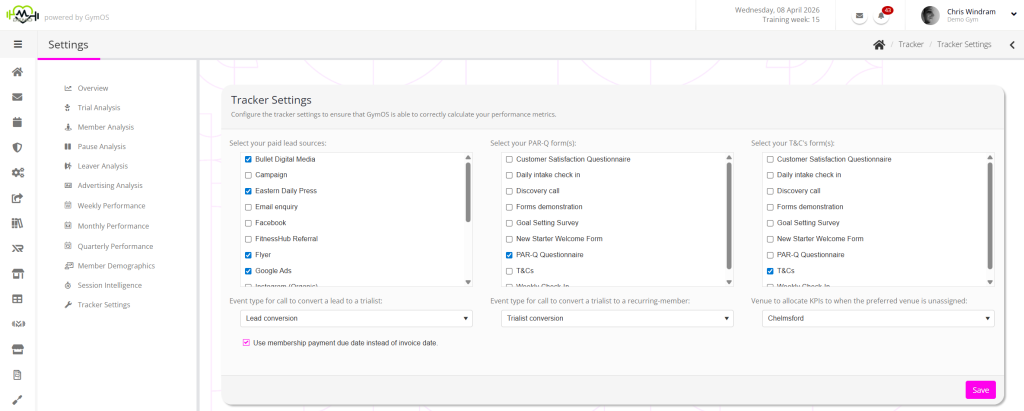
The tracker settings comprise the following configuration options:
- Paid lead sources
These are the sources that GymOS will use as being “paid” in the advertising analysis functions. - PAR-Q form(s)
Your current and past PAR-Q forms. - T&C’s form(s)
Your current and past T&C’s forms. - Event type for call to convert a lead to a trialist
The category you assign to calls where you are working to convert a lead to a trialist. - Event type for call to convert a trialist to a recurring member
The category you assign to calls where you are working to convert a current trialist to become a recurring member. - Venue to allocate KPIs when the preferred venue is unassigned
If a lead or a member does not have a preferred venue, which venue should they be listed under when the data it filtered by venue. - Use membership payment due date instead of invoice date
For Direct Debits, the invoice date may be several days before the payment due date, potentially pushing it into a different month. Checking this option uses the payment due date as the reporting point.