Tracking your Stripe payouts
Accessed by selecting Stripe Payouts from within the Reporting section of the main menu, this function provides you a basic insight into your forthcoming and recent Stripe payouts.
Important: Stripe’s own dashboard should be used for in-depth reporting and provides a greater depth of information that GymOS has access to via the integration APIs.
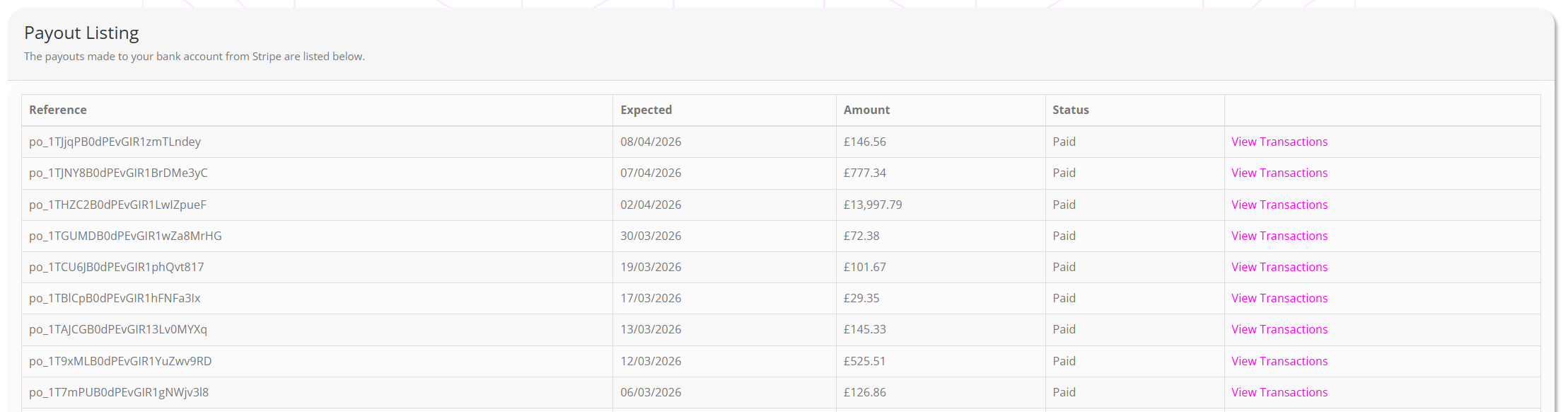
For each payment, the information displayed comprises:
- Payment reference.
- The date the payment is expected.
- The amount paid or due to be paid.
- The status of the payout.
You may view the individual transactions that make up a given payout by clicking View Transactions.