
Membership plans
A Membership Plan (also known as a Membership Type) is a training product you sell to your members as a Membership (E.g., “Gold Fit”). A Membership Plan provides deliverables that are issued on a scheduled basis (E.g., credit packs). A Membership Plan has one or more Payment Plans that determine the membership’s payment schedule.
We suggest that you learn about the GymOS Membership Principles prior to configuring memberships. This will likely save you time later.
Membership plans are accessed by selecting Membership Plans from the Settings section of the main navigation menu. Upon accessing the function, the list of existing plans is displayed.
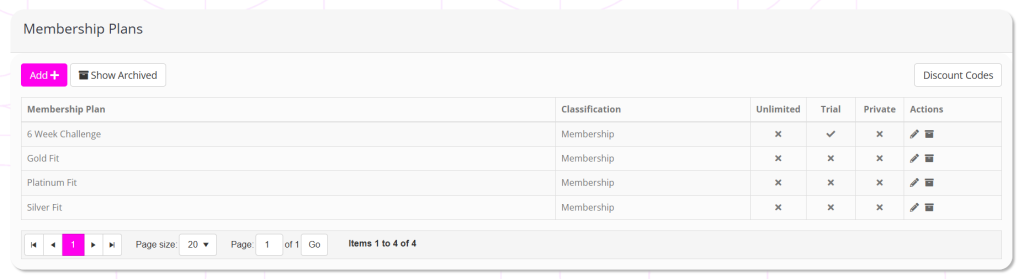
For each membership type, the following information is displayed:
- Membership Plan – the name of the plan.
- Classification – always “Membership”.
- Unlimited – whether the membership provides unlimited access.
- Trial – whether the membership is a trial membership.
- Private – whether the membership is marked as private, and therefore excluded from the member stores and campaigns.
- Actions, including:
- Edit the membership
- Archive the membership
Adding a new membership plan/type
To add a new membership plan/type, click the Add button. Follow the instructions for creating a new membership plan.
Editing an existing membership plan
To edit an existing membership plan, click the icon adjacent to the membership name you wish to edit. The process is then essentially the same as creating a new membership plan.