
Introducing Scribe

Scribe. Every conversation counts. Scribe records the in-person discussions your team has with members and leads, a consultation, a membership conversation or a check-in, on the FitnessHub app. When you finish, the recording, a transcript showing who said what and a short summary written by AI are kept on the record of every member and lead who took part. You can give the person in front of you your full attention, instead of taking notes.
Why Scribe?
Some of the most important conversations your gym has happen face to face: a new member’s first consultation, a review of their goals, a conversation about an injury or about staying with you. What was said is usually kept in someone’s memory, or in a few notes typed up afterwards, if there was time.
- Nothing is forgotten. The whole discussion is kept, with a transcript you can read and a recording you can play back.
- A summary in seconds. Scribe writes a short summary and the action points that were agreed, so a colleague can catch up without reading every word.
- Kept where you look. Each discussion sits on the member’s or lead’s record, beside their calls and bookings, and appears in their Conversations timeline.
- Your attention on the person. There is nothing to write while you talk, and wrapping up takes seconds.
How it works
- Start from the FitnessHub app. Open today’s in-person DropSlot booking and choose Scribe, or start an impromptu meeting and choose who is taking part.
- Recordings are announced for legal compliance. The phone plays a short announcement out loud, saying the discussion is about to be recorded, transcribed and summarised by AI. Anyone who would rather it wasn’t can say so, and you cancel.
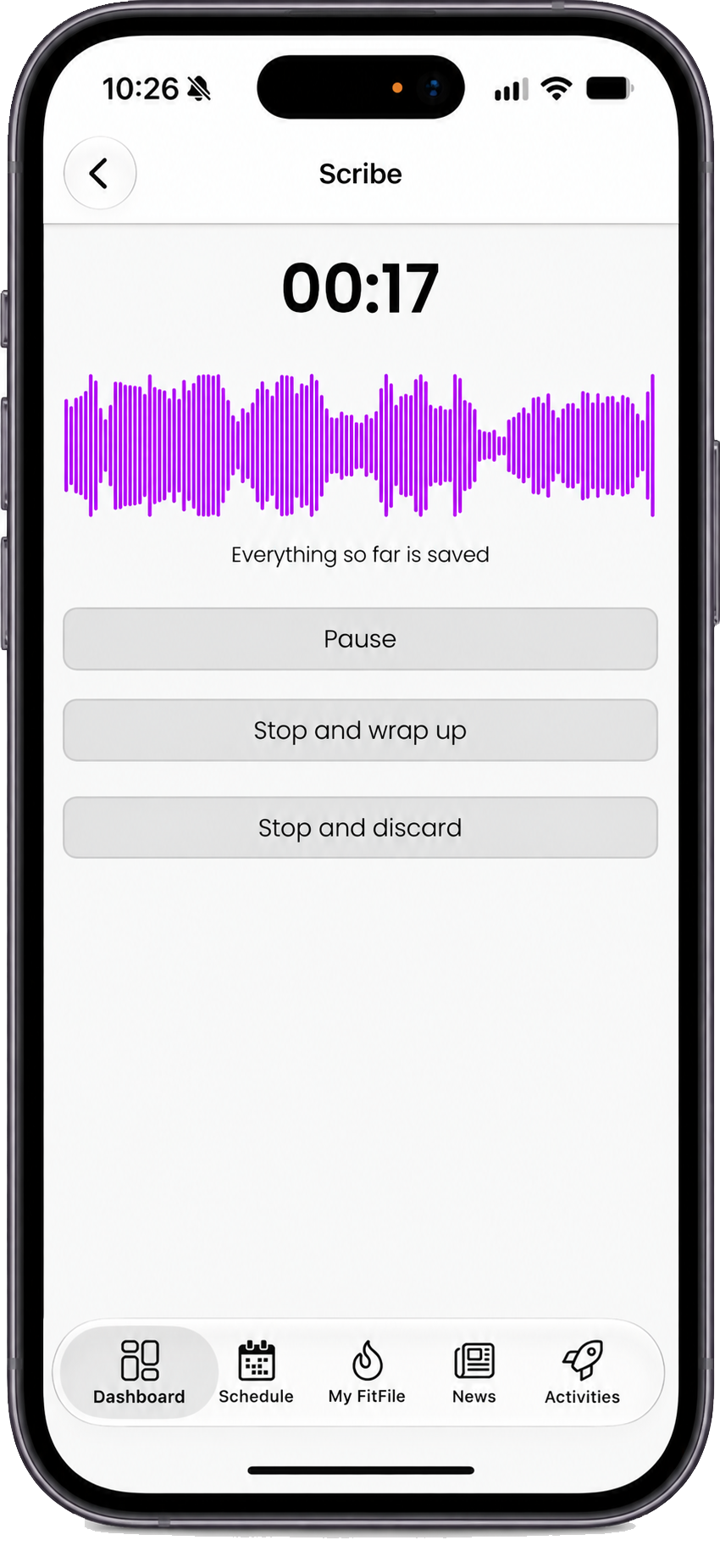
- Talk as you normally would. Put the phone on the table between you. Scribe records in the background, even with the phone locked, and saves as it goes.
- Stop and wrap up. Add a note if you want to, and you are done. You do not wait for anything.
- Review in the administration portal. Usually within a few minutes, the transcript, summary and action points are on the record of each member and lead who took part.
What Scribe is, and what it is not
- For in-person discussions. Scribe records the people in the room with you, on one phone. Phone calls are recorded by Konduo instead, and require a different approach and technology.
- For your team only. Scribe is used by staff in the FitnessHub app. Members never see it, and nothing is recorded on their own app.
- Not live captions. Scribe does not show the words on screen as people speak. It shows that it is hearing the room and saving the recording, and the transcript is made when you stop. This greatly improves transcription quality and reliability.
- Separate from Konduo. Scribe is enabled separately to Konduo, and has its own charges. You can use either one without the other.
- Up to two hours, and up to six people. A discussion can last up to two hours, and include up to six people, you included. It always includes at least one member or lead.
- United Kingdom and Ireland. Scribe is available to gyms in the United Kingdom and Ireland.
Who can see what
| Any member of staff | The member of staff who recorded it | Managers | |
|---|---|---|---|
| Read the summary, action points and transcript | Yes | Yes | Yes |
| Edit the notes | Yes | Yes | Yes |
| Play the recording | No | Yes | Yes |
| Correct who said what | No | Yes | Yes |
| Delete the recording and transcript | No | No | Yes |
Members and leads never see a recording, a transcript or a summary of a discussion they took part in.
What it costs
Scribe is pay-as-you-go, with no monthly fee: 2p per minute recorded and 2p per discussion, plus VAT (where applicable). A 20-minute consultation costs 42p. Charges are added to your messaging usage, and have their own line on your invoice. See Scribe pricing.
Getting started
- A manager switches Scribe on, in the Scribe section of your settings page. See Switching Scribe on.
- Read Getting a good recording with your team. Where you hold a discussion, and where you put the phone, matter more than anything else.
- Make sure your team has the latest version of the FitnessHub app, and record your first discussion. See Recording a discussion in the FitnessHub app.
- Open it in the administration portal and look at the summary and transcript. See Reviewing discussions in the administration portal.
Common questions
Can members see the recording or transcript of their consultation?
No. Scribe is for your team only. Members and leads never see a recording, transcript or summary.
Can I record from the administration portal?
No. Scribe records on the FitnessHub app, because the phone sits on the table between you. You read, play and correct discussions in the administration portal.
Do I have to use Scribe for every consultation?
No. You choose when to record. Bookings and consultations work exactly as they did, whether or not you use Scribe.
What if two members are in the same discussion?
Choose them both. The discussion is kept on each of their records, and charged once.
What if the person I am meeting is not on GymOS?
Add them as a lead (or member) in the administration portal first, then start the recording. Every discussion must include at least one member or lead.
How accurate is it?
In a quiet room, Scribe gave the right speaker to almost every word in our testing. It is less reliable with other conversations going on nearby, so where you hold the discussion matters. The recording is always the record of what was said. See Getting a good recording.
Who writes the transcript and summary?
The transcript is made by Microsoft’s Azure AI Speech service, and the speaker names and summary by Anthropic’s Claude. See Scribe – tips, rules, privacy and troubleshooting.