
Direct Booking Links for Future Sessions
You can create a direct booking link for any session in FitnessHub, allowing members to book onto it, even if the session is scheduled months in advance.
This is particularly useful for events, workshops, or sessions that you want to promote and share directly with members.
Why Use a Direct Booking Link?
By creating a direct link:
- You can send members straight to the booking page for a specific session
- Members do not need to search through the schedule
- It allows bookings for sessions that may not yet be visible on the standard schedule view
- It is ideal for marketing campaigns, emails, or social media promotions
There are two methods for creating a link, as outlined below.
Method 1: Copy the link
- In the administration portal, view the bookings for the session for which you want the link.
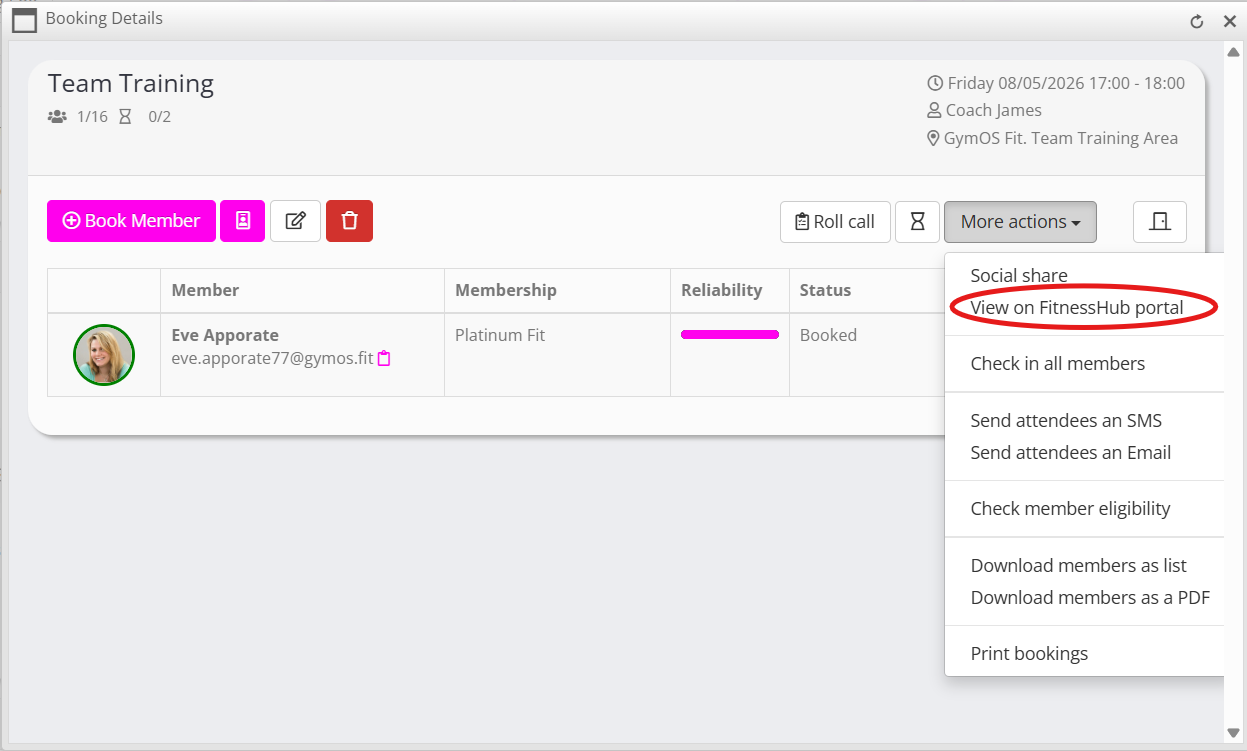
- From the More actions drop-down select the View on FitnessHub portal option.
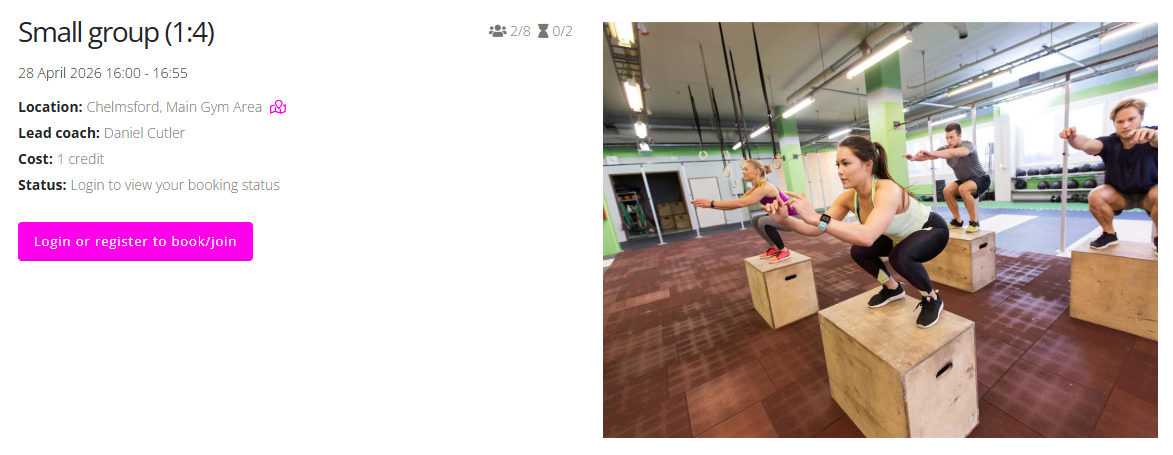
- The booking page for the session will open on your FitnessHub member portal site.
- Copy the URL from the browser toolbar.
- Share the link with your members.
Method 2: Derive the link manually
Step 1: Locate the Session in the Admin Portal
To begin:
- Go to the Admin Portal
- Find and edit the session you want to share
- Copy the URL from the browser and keep it as a note somewhere.
This URL will look something like:
https://my.gymos.com/manage/session/?g=XXXXXXXX-XXXX-XXXX-XXXX-XXXXXXXXXXXX
Step 2: Get a FitnessHub Booking URL
Next:
- Go to the FitnessHub schedule page
- Click on any session as if you were going to book it
- Copy the URL from the browser and keep it as a note alongside the URL from Step 1
This will look something like:
https://members.yourgymdomain.com/schedule/YYYYYYYY-YYYY-YYYY-YYYY-YYYYYYYYYYYY
Step 3: Replace the GUID
Replace the GUID in the FitnessHub URL with the one copied from the Admin Portal.
For example:
- Original FitnessHub URL:
https://members.yourgymdomain.com/schedule/YYYYYYYY-YYYY-YYYY-YYYY-YYYYYYYYYYYY/ - Updated URL:
https://members.yourgymdomain.com/schedule/XXXXXXXX-XXXX-XXXX-XXXX-XXXXXXXXXXXX/
IMPORTANT: Ensure the final “/” remains at the end of the URL, otherwise the link will not work.
Step 4: Share the Link
Once updated, the link can be shared with your members.
Members who have the appropriate credits or permissions will be able to click the link and book directly onto the session.