Management Reports
In addition to the live Business Analytics functionality, GymOS also provides downloadable Excel-compatible (XLSX) reports.
The Report Centre is accessed from within the Reporting section fo the main navigational menu.
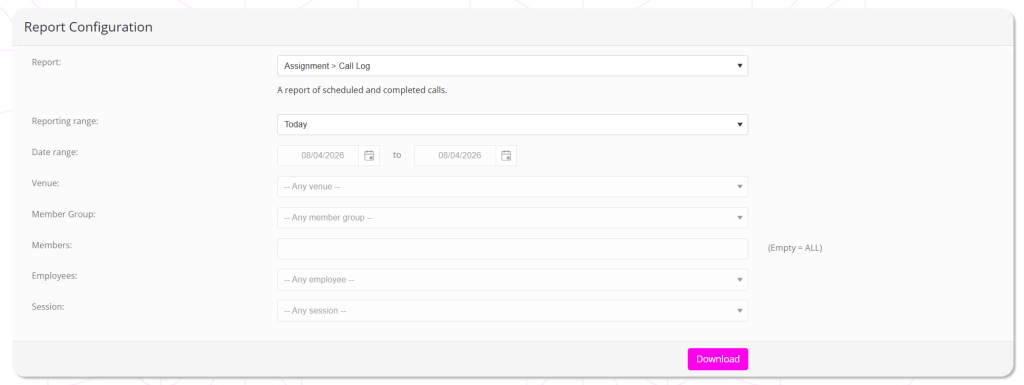
GymOS is regularly adding reports to the report centre, so you should expect the list of reports to grow from time to time.
To download a report:
- Select the report that you wish to download from the Report dropdown. When selecting a report, the page will refresh to enable/disable filter options, as appropriate for the given report type.
- Select reporting range and other filter options as appropriate.
- Click the Download button.
The report is generated on-the-fly from live data, and, depending on the report, it may take a few seconds to generate.
Once you have downloaded the report, you can apply additional filters and analysis in Excel or another spreadsheet package of your choosing.