
Reviewing form responses
There are several places to review the responses provided to forms and questionnaires.
The first is on the forms tab of the member or lead that responded to the form. The second is a review of the responses from all respondents.
To view form responses:
- Select Forms & Questionnaires from the Connect and Promote section of the main navigation menu.
- Click the icon alongside the form for which you wish to view the responses. This will open the form configuration screen.
- Select the Responses tab. This will reveal the form responses page.
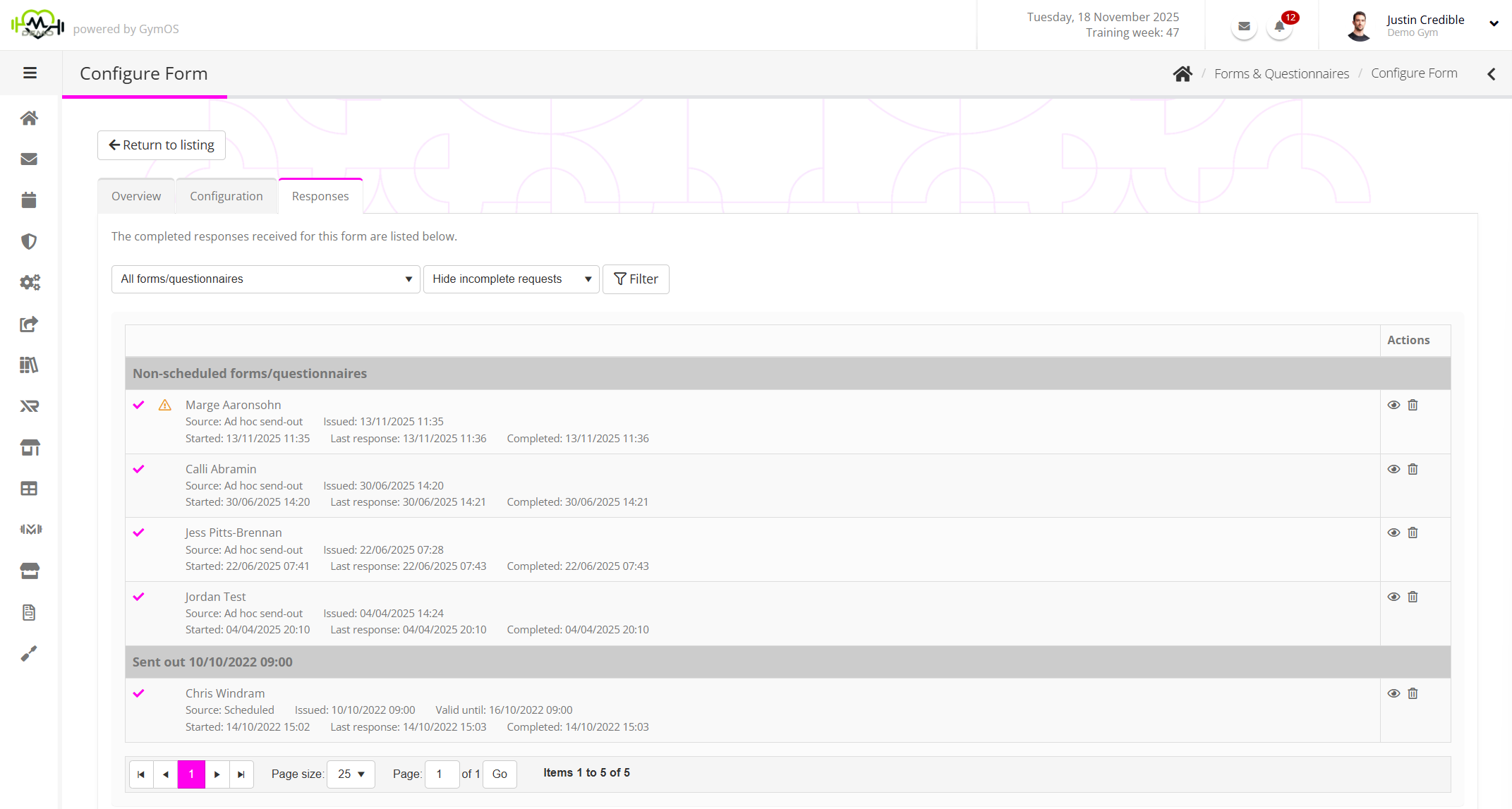
You can filter the listing to a subset of responses by selecting the allocation event from the All forms/questionnaires drop-down list.
By default, incomplete requests will be hidden. These may be revealed by making a selection from the Hide Incomplete requests
Having changed a filter selection, click the Filter button to apply the change.
The responses are grouped by their send-out time. You may click on the icon to view a given response or download the responses as a spreadsheet.