Member document check
Document checksare displayed on the summary tab of the member record, as well as within roll call and other areas of GymOS. It is a proactive and visual method for knowing that your member’s documentation is in order.

Note: Document checks may also be referred to as “status checks” in certain contexts within GymOS.
Examples of types of document you may wish to ensure your member has in place include:
- Liability Waivers
- Membership Contract
- PAR-Q
- Training Licence
Configuring document check types
You define the types of documents that you may assign in Settings Lists and Groups Member Checks.
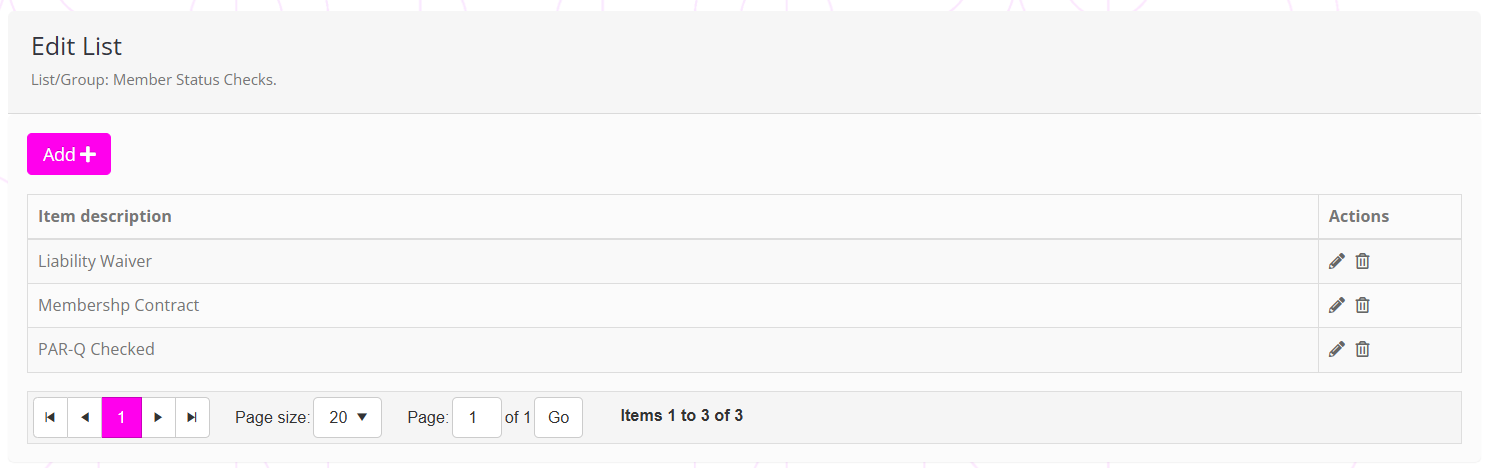
This list is managed in the same manner as per other lists and groups.
Status options
You may choose how GymOS opts to display the document statuses with the Settings Documents and uploads Member status check display option.

Options comprise:
- Display all statuses: All document types are listed, with colours indicating their status.
- Confirmed only: Only those document types that have been confirmed are listed.
- Unconfirmed only: Only those document types that have not been confirmed are listed.
Recording and confirming a document check
To record and confirm a document check against a member, click the Add Check button on the summary tab of the member record. This will open the document check pop-up window:
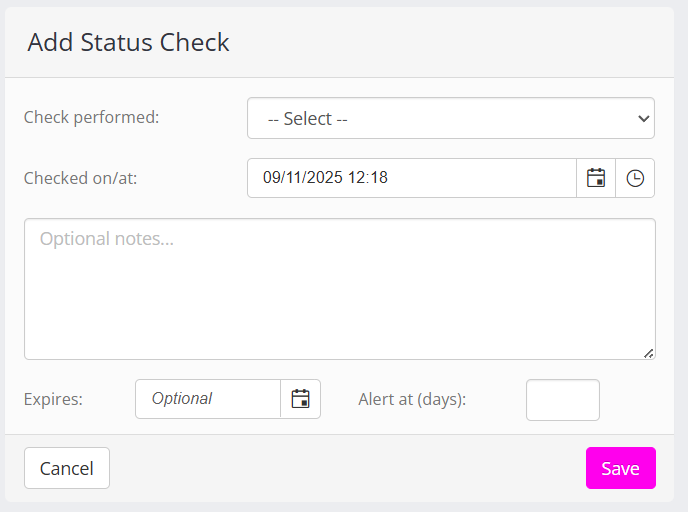
You can also edit an existing status check that has already been recorded by clicking on the item within the status display list.
The fields within the document check dialog comprise:
- Check performed
A drop-down list of the document check types (configured above). - Checked on/at
The date/time that the check was performed. This defaults to the current date/time. - Optional notes
Provide any notes that you wish to record about the document. (E.g., “provided electronically”) - Expires (optional)
The date upon which either the document, licence, or check expires and needs to be re-assessed. - Alert at (days) (optional)
If you enter a number in this box, a system alert will be generated x days before the expiry date, advising you that you need to reassess the document.
Document checks in roll-call
The document check statuses are always shown during the roll-call process. This makes it very easy for on-the-floor coaches to call out, “Hey John, I see we need to update your training licence. Can you bring your new licence next visit, so that I can update our records?”