
Scheduled broadcasts

Scheduled Broadcasts are accessed from the Connect and Promote section of the main navigation menu.

Broadcast listing
By default, the scheduled broadcast listing shows all broadcasts that are yet to be sent.
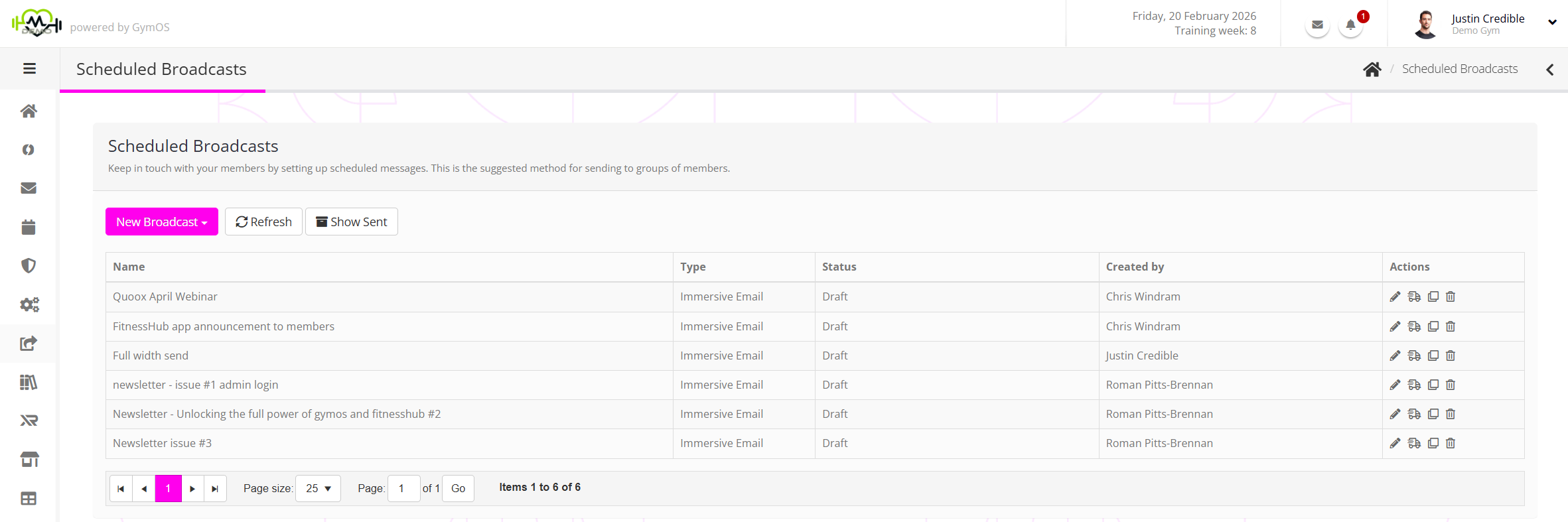
It is possible to view broadcasts that have been sent by clicking the Show Sent button.
For each broadcast, the information displayed comprises:
- Name – the name allocated the broadcast.
- Type – the method by which the broadcast will be sent.
- Status – the status of the broadcast (E.g., Scheduled).
- Created by – the name of the person that created the first instance of the broadcast.
- Actions, including:
- – Edit the broadcast.
- – Send the broadcast to yourself as a “test send”.
- – Dupicate the broadcast.
- – Delete the broadcast.
Creating a new scheduled broadcast
To create a new scheduled broadcast, select the type of message you wish to send from the New Broadcast drop-down list.
Further guidance may be found in the Creating a scheduled broadcast article.