System event log
The System event log is accessed by selecting Event Log from the Reporting section of the main navigation menu.
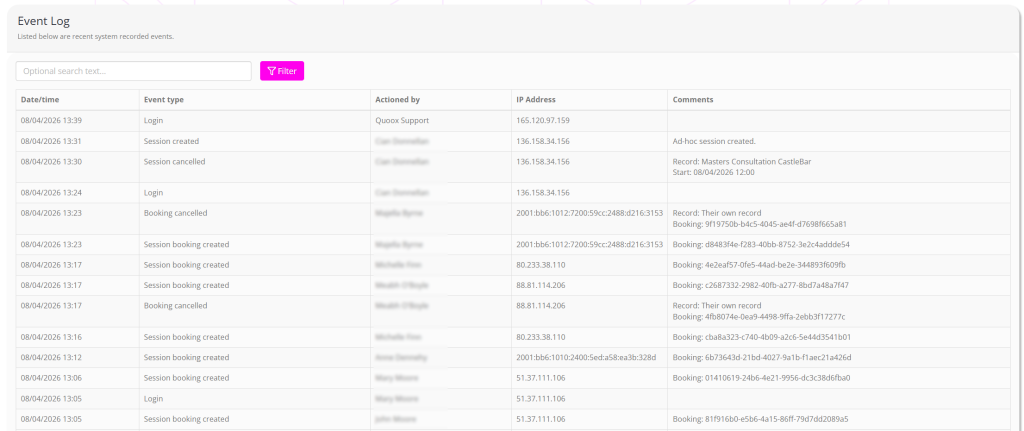
The event log is a low-level log of many of the events that occur within GymOS. The Quoox 2nd-line team also have access to an even more in-depth log that tracks virtually everything that occurs within GymOS.
It is relatively rare to look at the event log, but it is useful for finding out who did what and when. It almost always solves mysteries such as “where has my session gone?”.
Often, you would access the event log looking for member activities. If you access the log from a member record by selecting View event log from the Actions drop-down list, the listing will be filtered to events just pertaining to that member.